1
/
of
6
MIARALA
6 Rolls Mini Thermal Printer Sticker Paper, 57x25mm, High-Contrast Sticker Paper for Mini Pocket Printer, BPA-Free
6 Rolls Mini Thermal Printer Sticker Paper, 57x25mm, High-Contrast Sticker Paper for Mini Pocket Printer, BPA-Free
Regular price
$11.99 USD
Regular price
Sale price
$11.99 USD
Unit price
/
per
Shipping calculated at checkout.
Couldn't load pickup availability
About This
- Versatile Size Options: Our thermal sticker paper comes in 4 practical pack sizes: 6-roll (all white), 12-roll (all white), 18-roll (all white), and 10-roll colorful set (green, pink, blue, yellow, gray, orange, purple, and 3 white). Each roll measures 57 x 25 mm with a paper length of 3 meters, offering balanced value and volume for different usage scenarios. The perforated edges with 2mm gaps make tearing and applying clean and effortless.
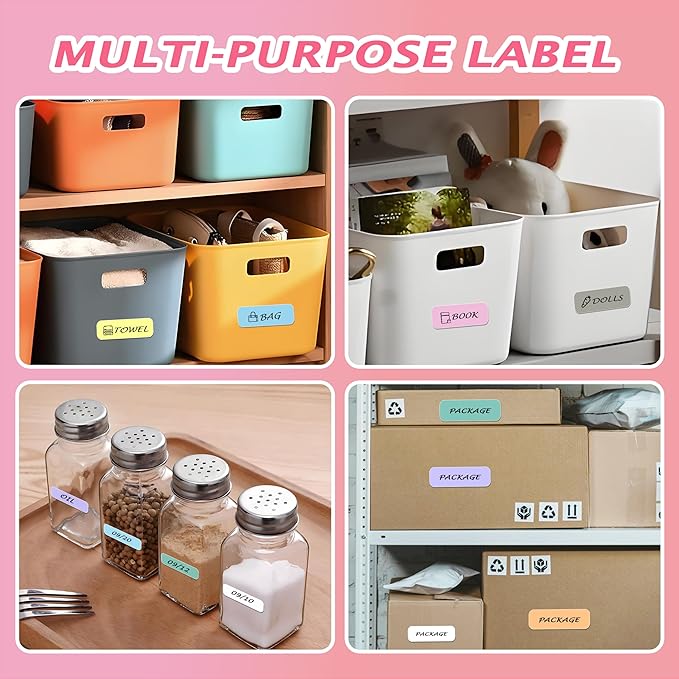
- Vibrant Colors & Functional Use: The color-rich combinations allow smart categorization—use colored labels for organizing files, spice jars, cosmetics, study notes, or creative DIY projects. White rolls serve everyday printing purposes. All versions deliver smudge-free, high-contrast prints without ink. The BPA-free and waterproof coating ensures safety and durability.
- No Ink & Fade-Resistant: Using advanced thermal technology, these sticker papers produce sharp, instant prints without ink cartridges. The smooth surface offers excellent print responsiveness with stronger resistance to moisture, oil, and scratches compared to ordinary thermal papers. Ideal for long-lasting labels, receipts, or mini photos—prints stay clear and readable over time.
- Strong Adhesive, Easy to Peel & No-Residue: Designed with a reliable adhesive layer, these stickers adhere firmly to various surfaces—paper, plastic, glass, and metal—while remaining residue-free upon removal. They won’t curl or fall off easily, making them perfect for indoor and outdoor labeling, gift decorating, and organizing.
- Broad Compatibility: Compatible with most 57mm (2.2”) width thermal label printers (Note: T02/M02 printer need to remove inner sleeve for direct loading). To use: simply load into the printer, align the print side, and start printing. Avoid high heat and acidic environments to maximize lifespan.
Share