1
/
of
9
Staplix
Label Maker Machine with Tape – Bluetooth Thermal Label Printer, Mini Sticker Maker for Home, Office, School & Small Business, Includes 2 Rolls of Label Paper
Label Maker Machine with Tape – Bluetooth Thermal Label Printer, Mini Sticker Maker for Home, Office, School & Small Business, Includes 2 Rolls of Label Paper
Regular price
$44.99 USD
Regular price
Sale price
$44.99 USD
Unit price
/
per
Shipping calculated at checkout.
Couldn't load pickup availability
About This
- Customizable Labels for Every Need:This versatile label maker machine with tape supports a variety of label sizes — perfect for both label printing and photo printing. With 203 DPI high resolution, every print comes out crisp, clear, and professional-looking. Great for home organization, journaling, school, or product labeling.
- Inkless, High-Quality Thermal Printing:Featuring advanced thermal printing technology, this Bluetooth label printer delivers clean, sharp prints without the need for ink or toner. It comes with durable composite paper that is waterproof, oil-resistant, and scratch-proof — ideal for high-use environments like the kitchen, classroom, or office.
- Smart App Integration with Creative Tools:Connect seamlessly via Bluetooth to the iPrint app, available for iOS and Android. Enjoy a wide range of fonts, symbols, borders, and templates to design personalized labels with ease. Whether you're organizing office files, crafting DIY gifts, or labeling products, this app makes it fun and simple.
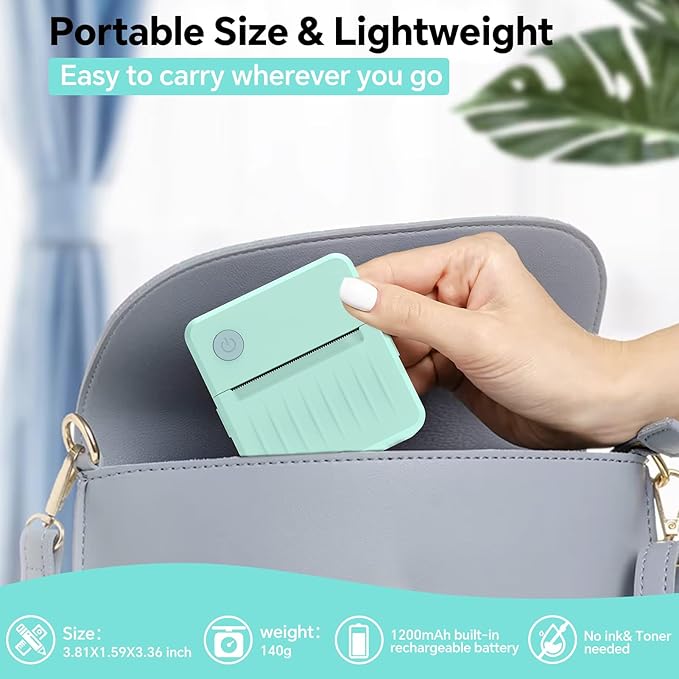
- Compact, Lightweight & Travel-Friendly:This mini label printer fits perfectly in your pocket or bag. Designed for portability, it’s lightweight yet powerful — allowing you to print on the go at school, at home, or even while traveling. The intuitive interface ensures a hassle-free experience for users of all ages.
- Long-Lasting Battery with Fast Charging:Equipped with a 1200mAh rechargeable battery, this label maker offers hours of continuous use. Type-C fast charging means minimal downtime — your sticker printer stays ready whenever creativity strikes or organization calls.
- How to Print Labels1.Prepare the Printer:Check the package to make sure all items are included 2.Install the Label Paper:Open the paper compartment cover, insert the label paper or thermal paper in the direction indicated by the arrows, and adjust the paper guides to keep the paper centered and aligned. Then close the cover.3.Download and Connect the App:Download the iPrint app from your app store. Open the app, tap "Select Device," and wait a few seconds—the printer will connect automatically via Bluetooth.4.Print Your Label:In the app, select "Label Print," choose your desired label template and corresponding paper size, edit the content, preview the label, and tap "Print" to complete.
Overview
- Brand : Rotema
- Connectivity Technology : Bluetooth
- Printing Technology : Thermal
- Special Feature : Lightweight, Portable
- Color : avocado green
- Model Name : D3-1 Label Maker
- Printer Output : Monochrome
- Max Printspeed Monochrome : 30
- Item Weight : 142 Grams
- Product Dimensions : 1.65"D x 3.15"W x 3.39"H
Share